
ACCOUNT
Phone verification status
Open this area to see whether your phone confirmation is complete before account access. It also shows where to update contact details when an old number blocks your next step.
holiganbet puts Live Roulette Prestige, Aviator Quick Arena, slots and football markets behind one verified account, with DANA and QRIS visible beside the lobby.

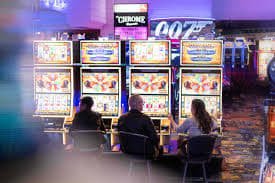
Casino rooms come first, followed by live tables, fishing rounds, slot search and sports markets connected to the same account.
Recognisable names including Pragmatic Play, PG Soft and Habanero appear beside additional studios, with titles grouped for faster mobile searching.
DANA, OVO, GoPay and QRIS appear as named cashier choices, so you can select the wallet you actually use.
The home lobby is only useful when each next step has a clear destination. We surface durable areas for account checks, game discovery, sports browsing, cashier status and…
Open this area to see whether your phone confirmation is complete before account access. It also shows where to update contact details when an old number blocks your next step.

Find live baccarat, Live Roulette Prestige, Dragon Tiger and blackjack context in one table area. Table status appears beside slot navigation rather than behind a second account path.

Check whether a DANA, OVO, GoPay or QRIS request is pending, confirmed or needs attention. Receipt details help our team trace a transfer when its status stalls.

Football, badminton and basketball are separated by sport, event and market type. You can inspect available selections before moving from the casino lobby into the sportsbook.
Four checks keep your first visit focused. Confirm your phone number, inspect the lobby categories, open the cashier status panel and locate account help before choosing…
Enter the requested account details, create your credentials and complete phone verification. Once the number is confirmed, we show the lobby connected to that single account.
Your profile holds contact details, verification state and session controls. Keep the phone number current because we use it when account access needs an additional confirmation step.
Casino, slots, live baccarat, roulette, football, badminton and basketball sit in separate lobby areas. Clear category tabs help you move without opening unrelated pages.
Use a private password, finish phone verification and sign out after using a shared computer. Our account panel shows your active status before you enter the cashier or lobby.
Account and cashier questions should not send you through unrelated menus. Live chat sits near the help panel, email handles cases that need attached receipts, and mobile help keeps the same account context on a phone. Check the panel for current staffed hours before choosing your contact route.
Use live chat when login, phone verification or wallet status stalls during your session. Share the visible status and selected rail, but never send your password.
Email suits receipt and transfer checks that need an attachment. Include your account reference, selected wallet or bank rail, submission time and the status shown in the cashier.
The mobile help path opens from the account menu without forcing you back through the full lobby. It keeps cashier and profile links close to your question.
The mobile home keeps account access, wallet status, slot search and live-table categories within the same browser path. You do not need a separate app.

Phone confirmation happens before full account access, giving us a clear way to connect your profile with the number you supplied.
We ask you to confirm the phone number attached to your profile before account access. This reduces confusion when contact details or credentials later need attention.
Your account area shows whether you are inside an active session. Sign out after using a shared computer and avoid saving credentials in a public browser.
Wallet and bank requests remain visible through their status entries. These records let you compare the submitted amount, selected rail and receipt reference before contacting support.
Slots and live tables provide title-specific rules or data panels where supplied. Read those details before starting because mechanics, stake choices and displayed return figures vary.
A single home path gives you current account, lobby and cashier context that scattered shop lists cannot provide.
| Current lobby categories | Our home shows casino, slots, live tables, fishing and sports as active navigation areas. A scattered list may name a title without showing where it currently sits. |
|---|---|
| Connected account state | Phone verification and session status belong to your actual account path. Offline descriptions cannot show whether your profile is confirmed or whether access needs attention. |
| Live wallet status | The cashier records whether a DANA, OVO, GoPay or QRIS request is pending or confirmed. A saved screenshot cannot reflect your current transfer state. |
| Direct help context | Live chat and mobile help open close to the account or cashier area involved. That context makes it easier to describe the step where progress stopped. |
| Current policy links | The home footer points to account terms, privacy wording and access conditions. Copied summaries may omit changes or separate those rules from the relevant account step. |
| One device path | Phone and computer layouts connect to the same account and lobby structure. You can change screens without searching again for a different game or cashier entry. |
Game data belongs beside the title it describes, not inside a broad home-page promise. We use category and game panels to show available return figures, table rules and round details when supplied…

Open a slot detail panel to inspect its displayed return figure, feature rules and stake range…
The table panel identifies roulette format, available stakes and rules for Live Roulette Prestige before you…

Baccarat entries show table context and available stake choices, while the streamed dealer handles each round…
Aviator Quick Arena displays its round mechanics and controls inside the game screen rather than presenting…
Fishing War Fast Round includes room-specific controls and round details, which you can inspect before choosing…
RTP percentages are informational reference values from provider documentation. Actual session outcomes vary.
Our home is configured for Indonesia with DANA, OVO, GoPay, QRIS and bank rails presented in the cashier. Regional availability can vary, and access depends on local law. Use the home access check before creating credentials or submitting account details. If the site cannot serve your current location, the account path may remain unavailable rather than opening the lobby.
Six visible elements shape the home experience: one verified account, local wallets, searchable slots, streamed live tables, configured Indonesia sports and support near the cashier.
A single profile connects casino rooms, sports markets and local wallet status. Phone verification is completed before full account access, reducing uncertainty around the first session.
DANA, OVO, GoPay and QRIS appear by name instead of being hidden behind a generic wallet label. Their status records stay inside the cashier.
Slot search sits near the category tabs on phone screens. Use it to narrow the room before loading a title or returning to live tables.
Live baccarat, roulette, Dragon Tiger and blackjack use streamed table sessions. Each table entry provides its available context before you enter the room.
Football, badminton and basketball have configured sportsbook paths for Indonesia. Event and market labels remain separate from casino navigation while using the same account.
Cashier entries connect a submitted request with its rail and status. When something stalls, share the receipt reference through live chat or email.
These answers cover the questions we hear before you open an account from the holiganbet Home page. They focus on account access, lobby content, Indonesia payment rails, device behaviour, regional availability and the support path to use when a status does not move.
Start with account status, then move through the lobby, cashier and help areas in that order.
Open the profile area and check that phone verification is complete.
Select casino, slots, live tables, fishing or sportsbook from the home categories.
Choose DANA, OVO, GoPay, QRIS, virtual account or bank transfer, then read the status entry created after submission.
Use live chat for active-session issues, email for receipt attachments or mobile help from your phone menu.